What you see with a US3000D as master
- Every battery in the stack: voltage, current, state of charge, temperatures, and the voltage of each cell.
- The US3000D master only: state of health, cycles, model, serial number and BMS version.
- The batteries behind it: state of health and cycles show a dash, and the model is shown as unknown. This is not a fault of the battery or of your cables.
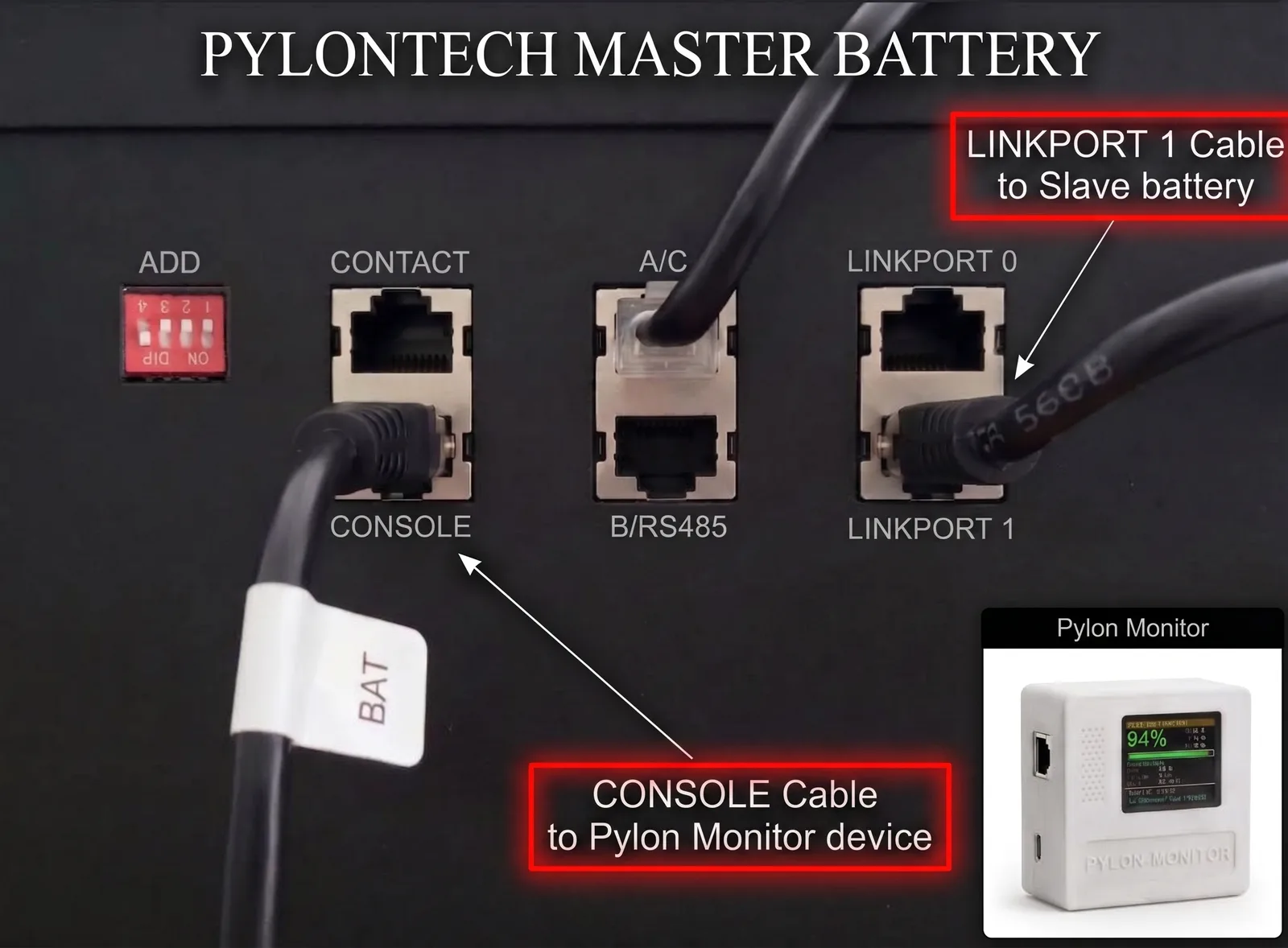
Why the other batteries show less
On older Pylontech models, the master answers stat 2 or info 2 on behalf of battery 2. The US3000D answers these with “Invalid command”, and accepts stat and info only without a number, which describes the master alone. Two owners sent us their console output, and both show this behaviour on BMS B1.4.0.0.
The behaviour comes from the battery's own firmware. We have not found another console command that reaches the other batteries.
Cycle count: divide by 100
The US3000D counts cycles in hundredths: a raw value of 4382 means about 44 cycles. Recent firmware corrects this for you, so install the latest version if the number looks far too high.
Total capacity in a mixed stack
When a battery's model cannot be read, the online dashboard counts it with the same capacity as the master. A stack of 6 US3000D and 2 US5000 therefore shows about 28.4 kWh instead of the real 30.9 kWh. The percentage per battery is unaffected, since each battery reports its own.
Should you move the US3000D out of the master position?
Not just for monitoring. Owners tell us Pylontech asks for the US3000D as master when it is mixed with US5000 and US3000C. The manuals we could find do not list the D series yet, so ask Pylontech or your installer before changing the order of a stack. We have not seen a stack with a US3000D as a slave, so we cannot say what it would show.
A word on the “login debug” console mode
If you connect to the console yourself, stay out of login debug. It offers commands that change settings or switch the battery off, and you do not need it for reading values. The Pylon-Monitor only asks questions and reads the replies.
The original exchange is in our customer questions. Adding a module to a stack is covered in this guide, and BMS versions in this one.
Frequently asked questions
- Does the Pylon-Monitor work with a Pylontech US3000D?
- Yes. It reads voltage, current, state of charge, temperatures and every cell for the whole stack. State of health, cycles, model and serial number are available for a US3000D master only.
- Why are SOH and cycles missing on the batteries behind a US3000D?
- The US3000D console refuses the per-battery commands stat and info with a number, so the health report of the other batteries cannot be reached through it.
- Why does my US3000D show thousands of cycles?
- It counts in hundredths of a cycle: 4382 means about 44 cycles. Recent Pylon-Monitor firmware shows the corrected number.
See every battery and every cell of your stack, with three years of history online.
Order now — €59 One-off purchase, €59 all in. No VAT, no subscription.