🛠️ Designed & hand-built by one maker · Live in < 2 min

Your Pylontech battery,
live on WiFi.

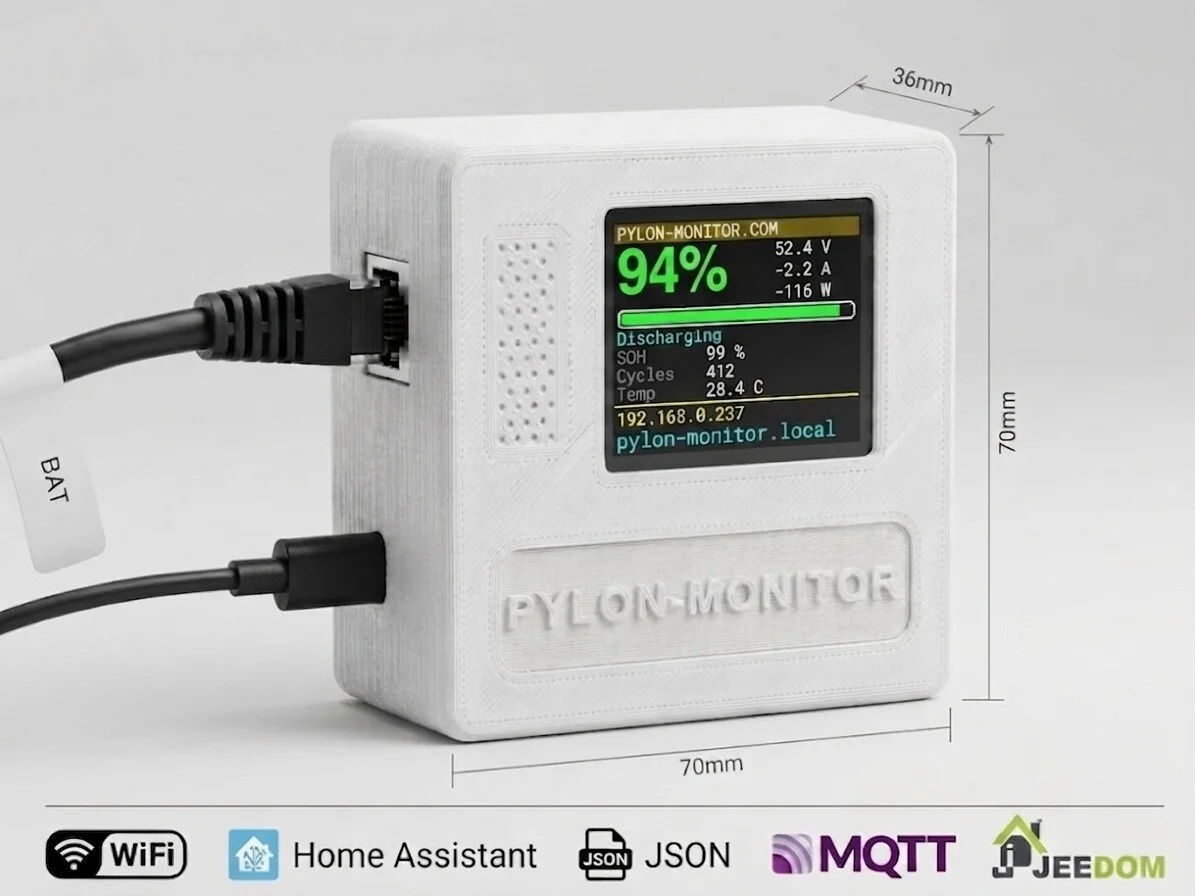
A tiny WiFi-connected box that plugs into the Console port of your Pylontech US5000, US3000C or US2000. Truly plug & play: one cable, one USB, one captive portal — under 2 minutes from box to live dashboard. No app, no account, no cloud, no command line. If you can plug in a phone charger, you can install a Pylon-Monitor.

  • ✅ Designed, 3D-printed & assembled by hand — not mass-produced
  • ✅ Live in under 2 minutes — captive portal, zero apps
  • ✅ Plug & play: 1 RJ45 + 1 USB cable, both included
  • ✅ Works in any browser — phone, tablet, PC
  • ✅ Home Assistant ready (MQTT auto-discovery or REST)
Pylon-Monitor.com
94%
48.6 V
-7.2 A
Pylon-Monitor v1
🖨️ From my workbench to your battery rack

One person. Firmware, PCB, enclosure and assembly — all by hand.

Pylon-Monitor isn't a rebranded factory board. I write the firmware, hand-assemble the PCB, design and 3D-print the enclosure around its 1.8" IPS TFT, and test every single unit myself before it ships.

💻

Firmware written from scratch

The WiFi captive portal, the web dashboard and the JSON API are all custom firmware that I write and maintain — the same person who ships your device.

🔧

Hand-assembled PCB

Every board is hand-wired and soldered — ESP8266, level shifter and TFT connector — then flashed and function-tested before it goes in its case.

🖨️

Custom 3D-printed enclosure

Designed and printed in-house around the 1.8" IPS TFT, refined over several prototype revisions for a snug fit and proper heat venting.

< 2 minSetup time
€29One-time price
0Subscriptions
100%Local — no cloud

Everything you need. Nothing you don't.

Designed for solar installers, off-grid enthusiasts and home automation users.

📟

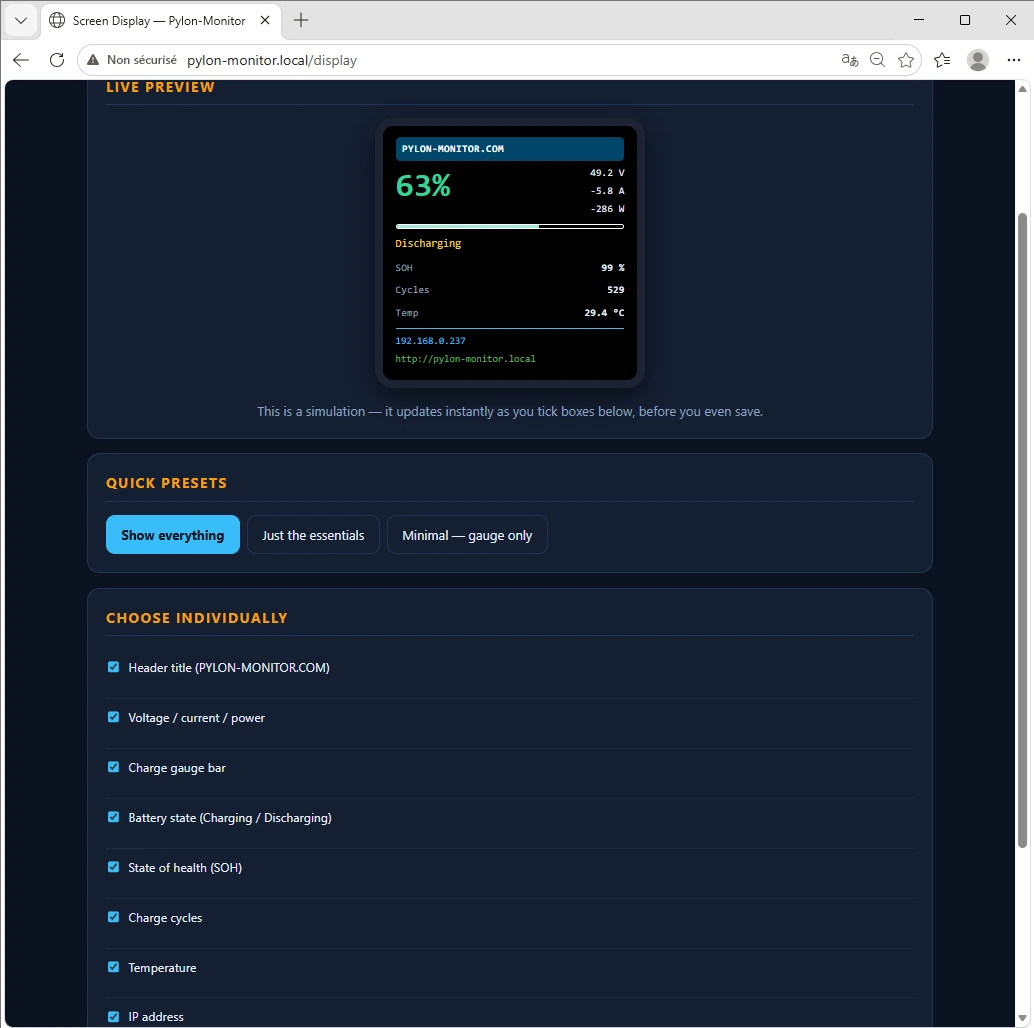
Built-in TFT display

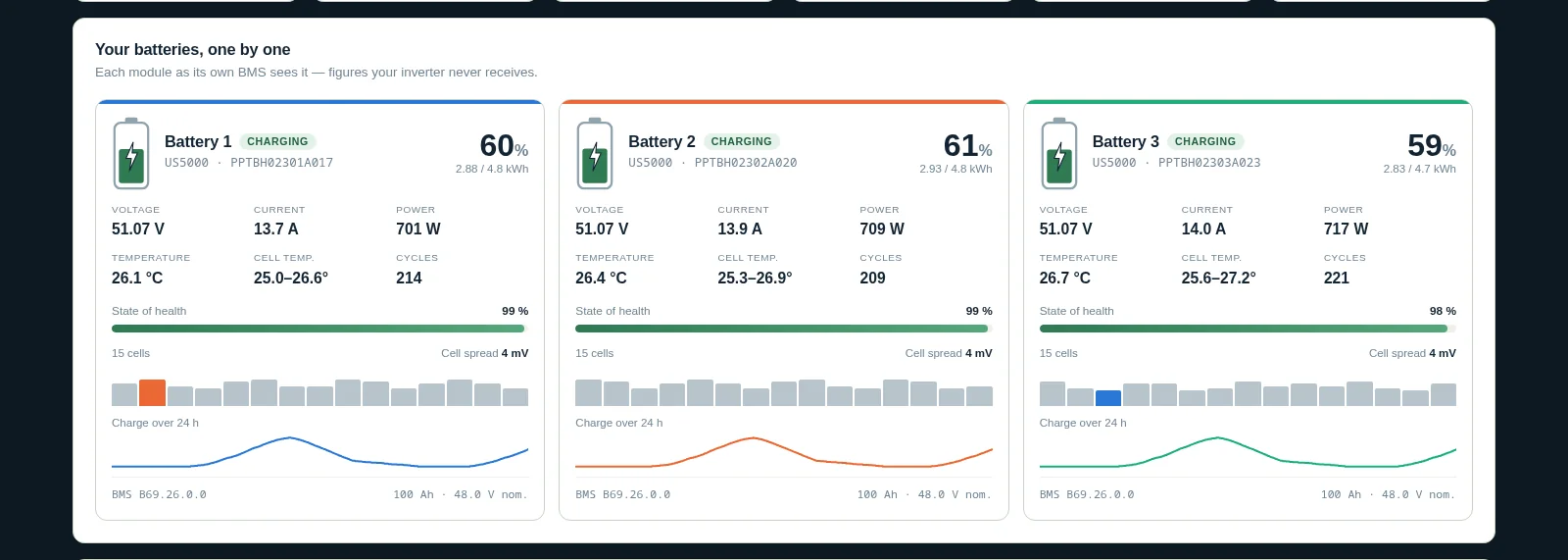
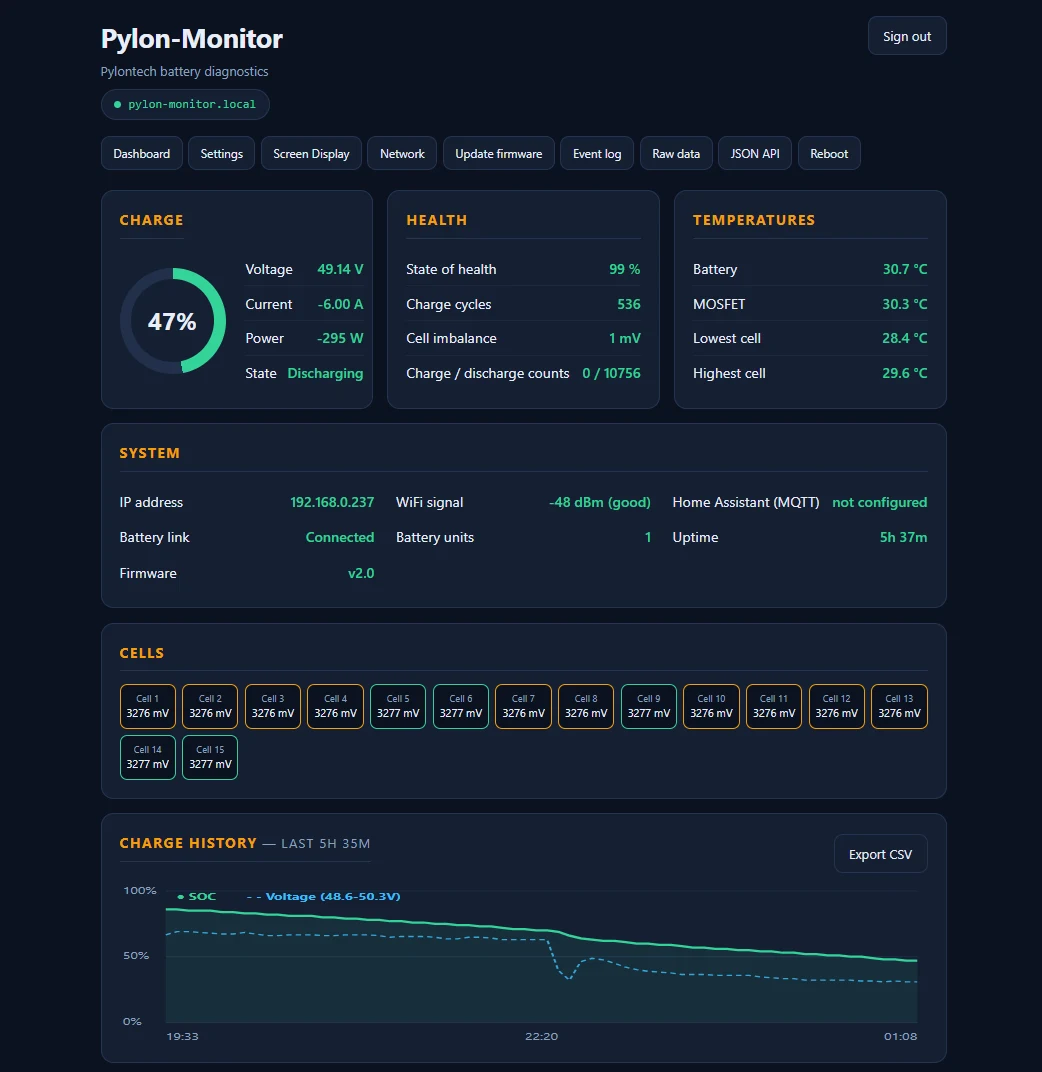
Glance at the box and instantly read State of Charge, voltage, current, SOH and cycle count.

🌐

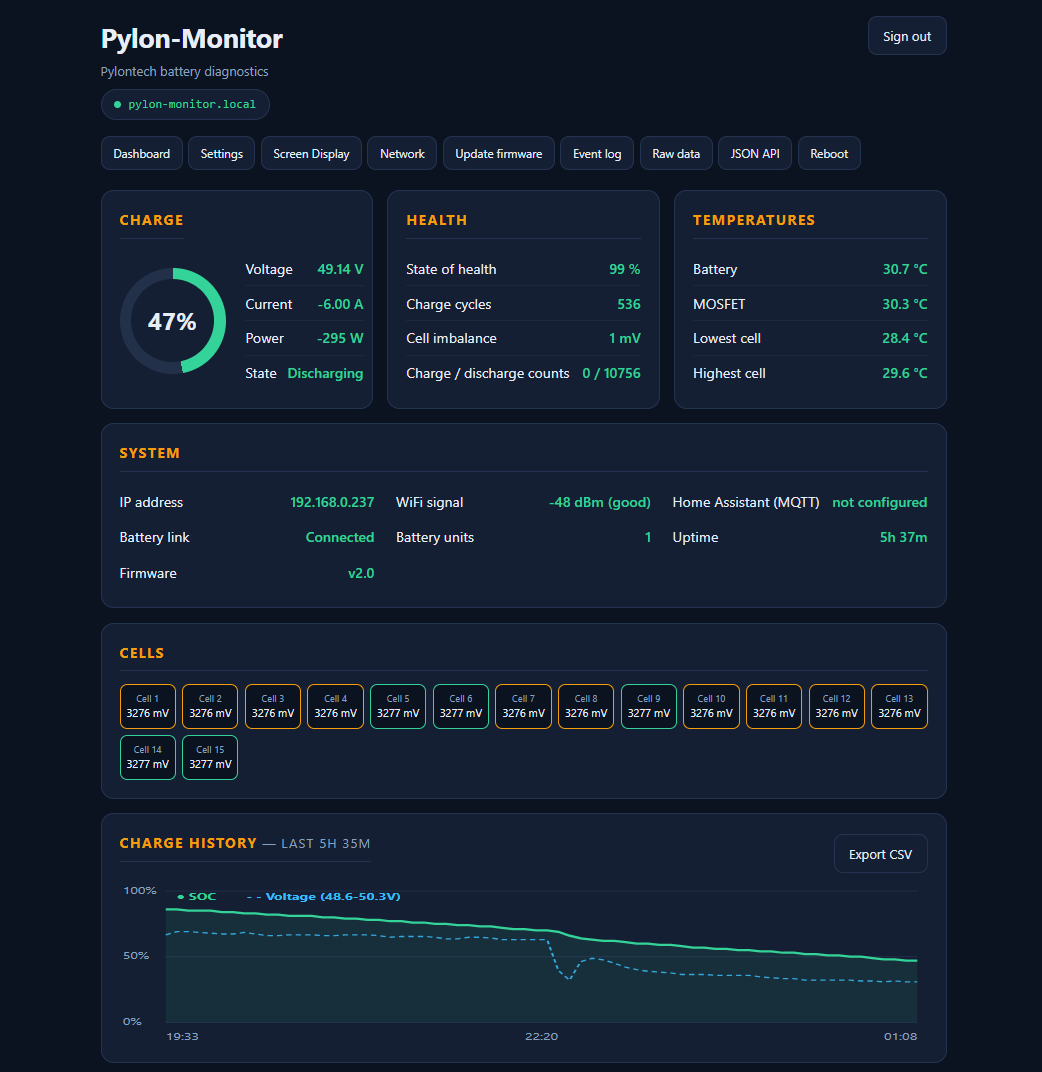
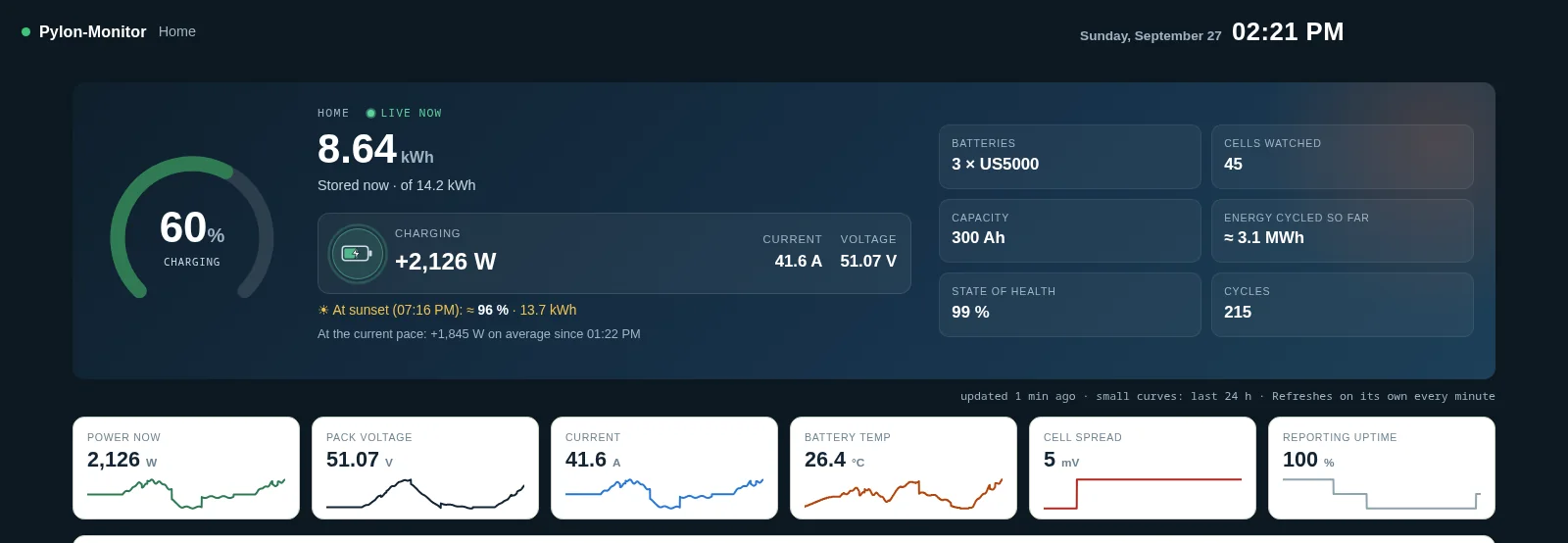
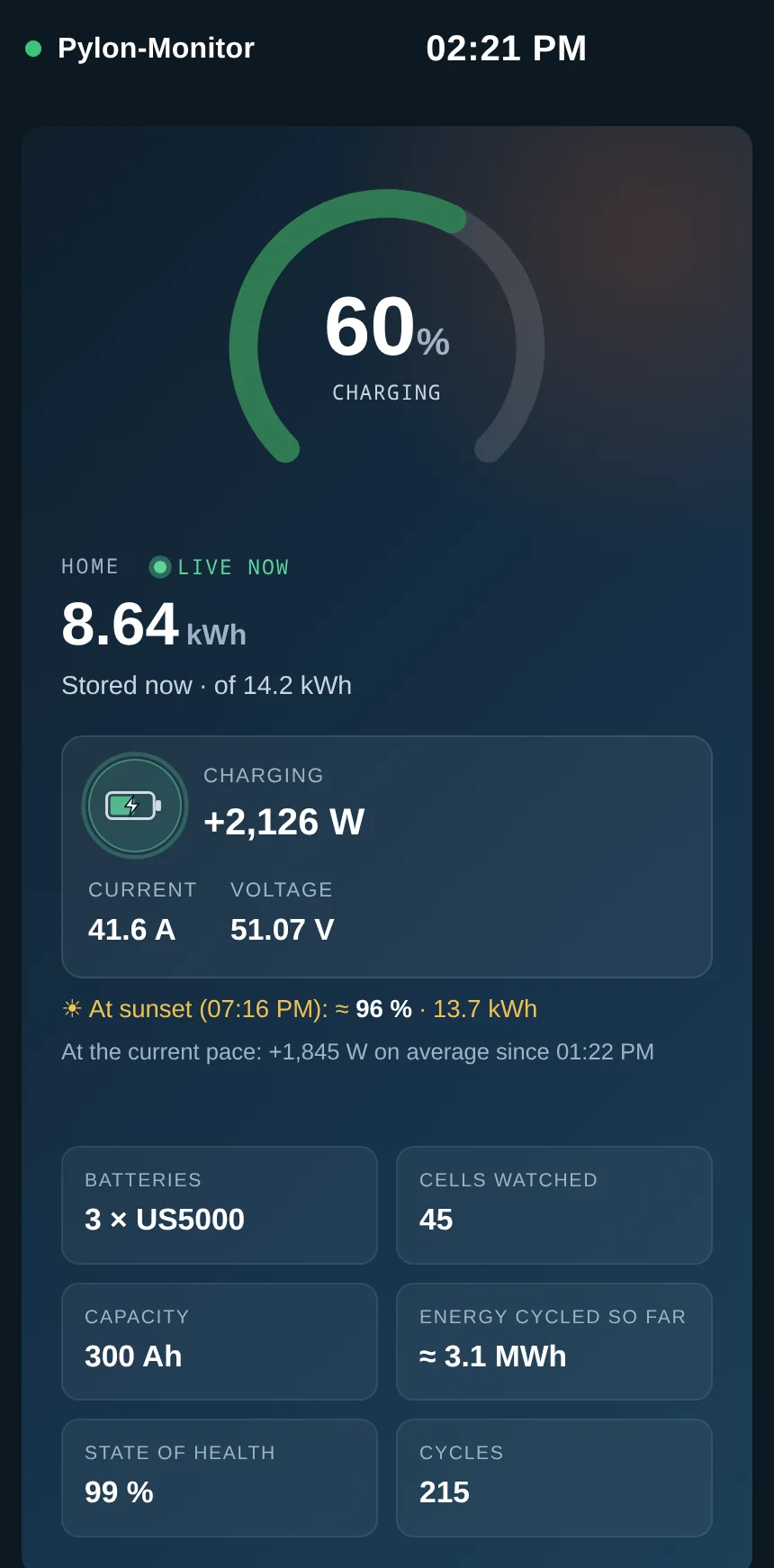
Beautiful web dashboard

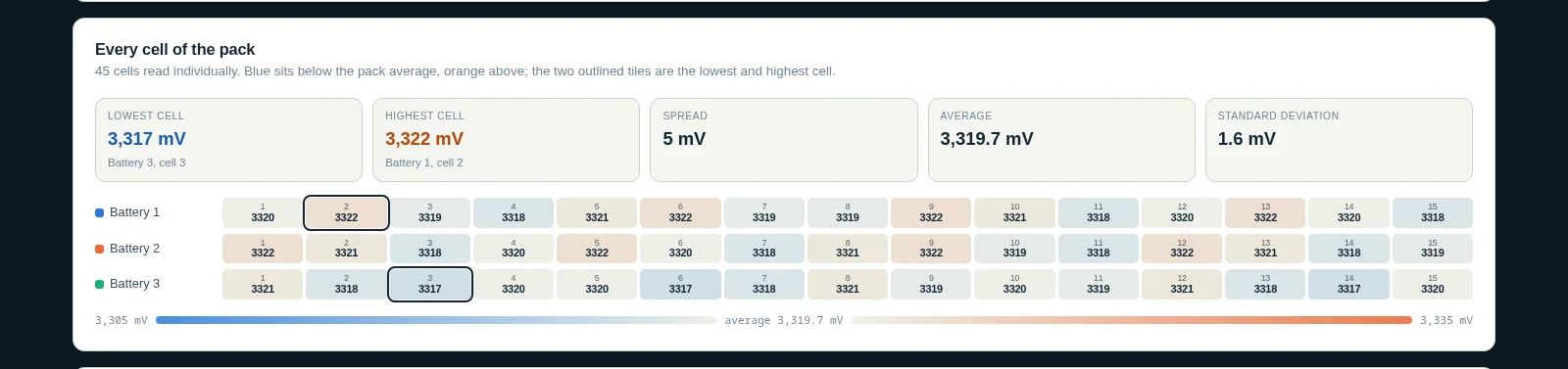
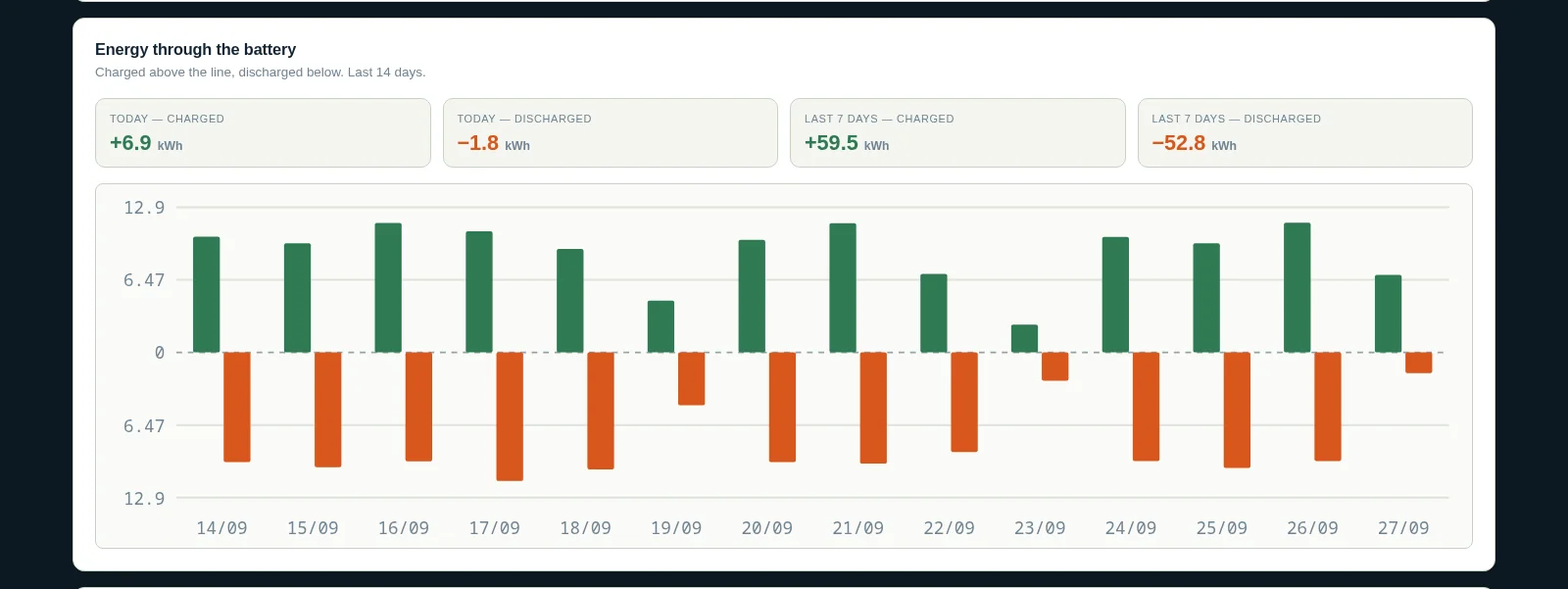
Open http://pylon-monitor.local from any phone or PC on your WiFi. No app, no account.

🔌

Home Assistant ready

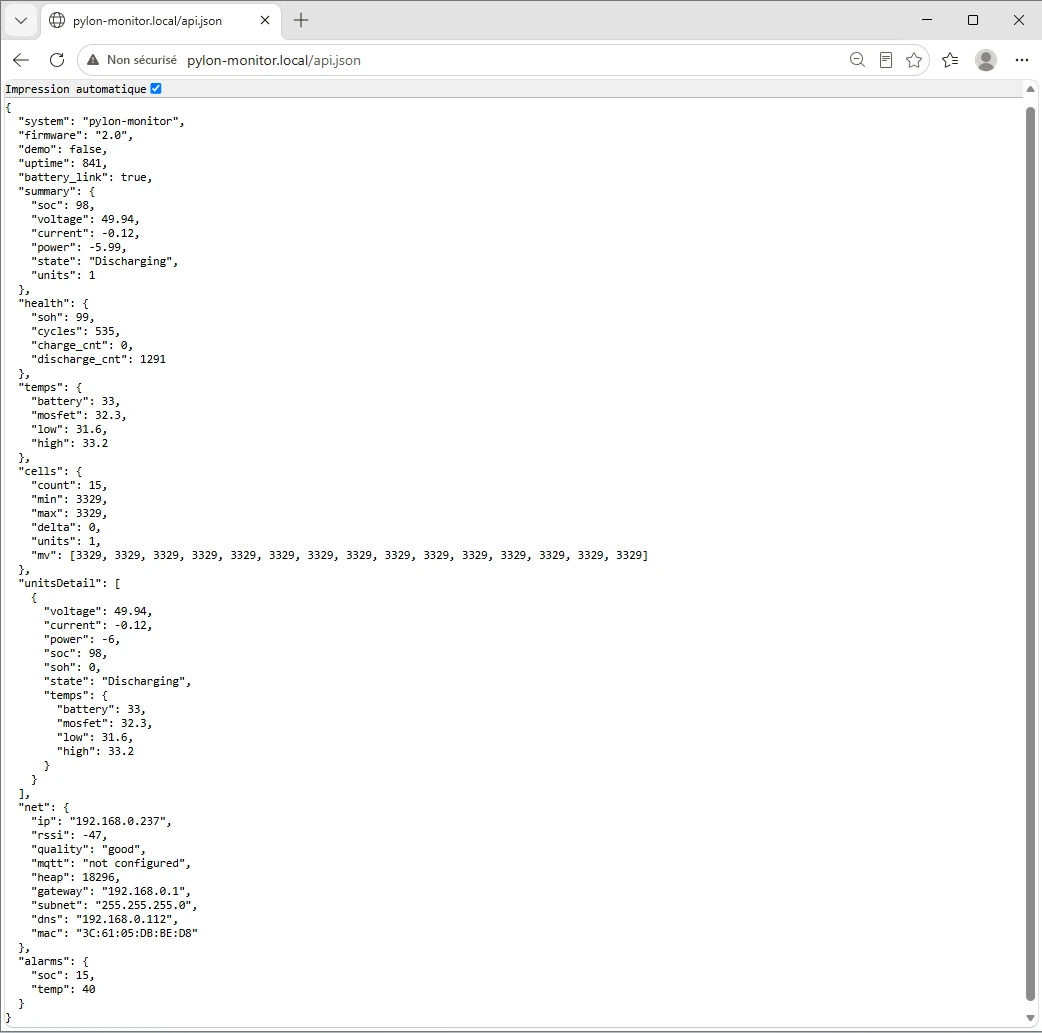
A clean JSON API at /api.json plugs into Home Assistant in 10 lines of YAML.

📶

Plug & Play WiFi setup

On first boot the box creates its own WiFi network. Connect, pick yours, type the password — done.

⬆️

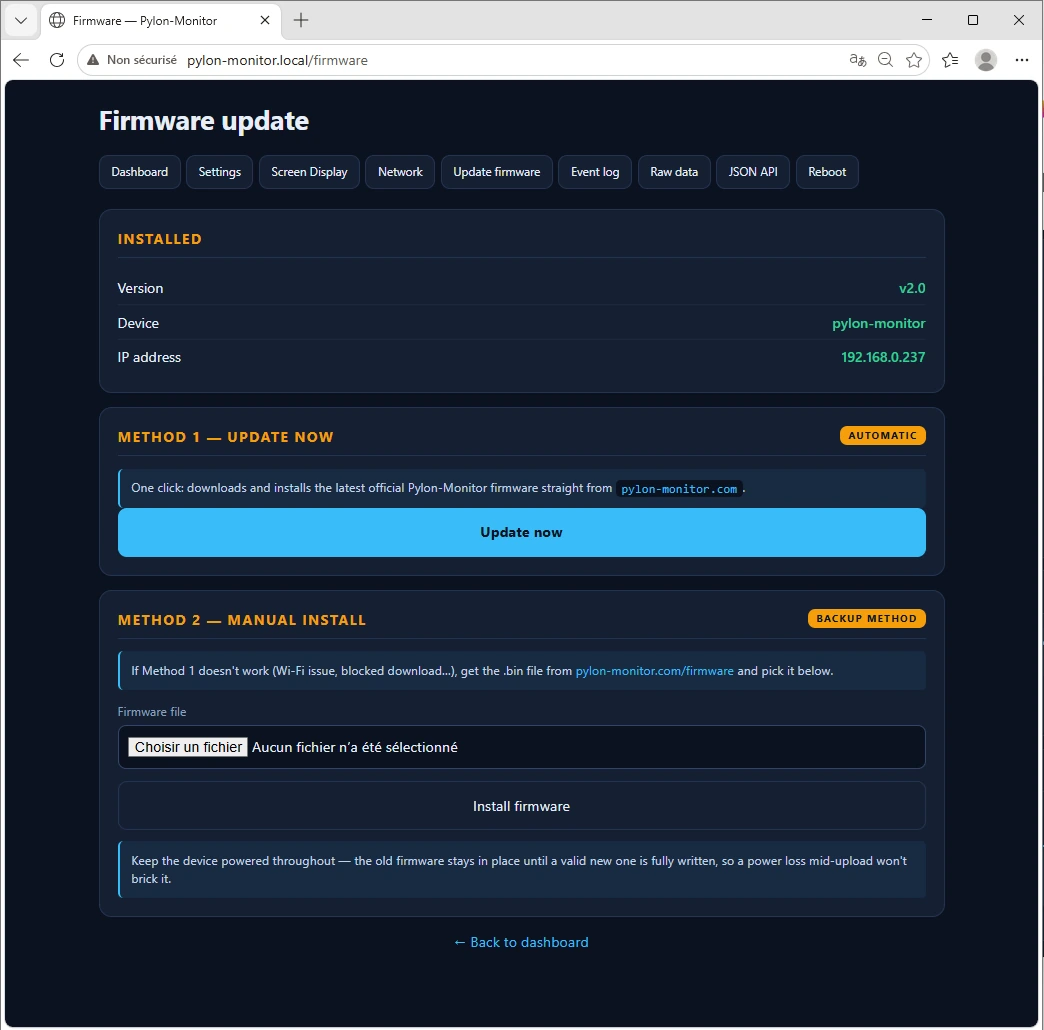
Over-the-air updates

New features arrive through a friendly web update page. No cables, no soldering, no skills required.

🔒

100% local, 100% yours

Your battery data never leaves your network. No cloud, no telemetry, no subscription.

Compatible with your Pylontech

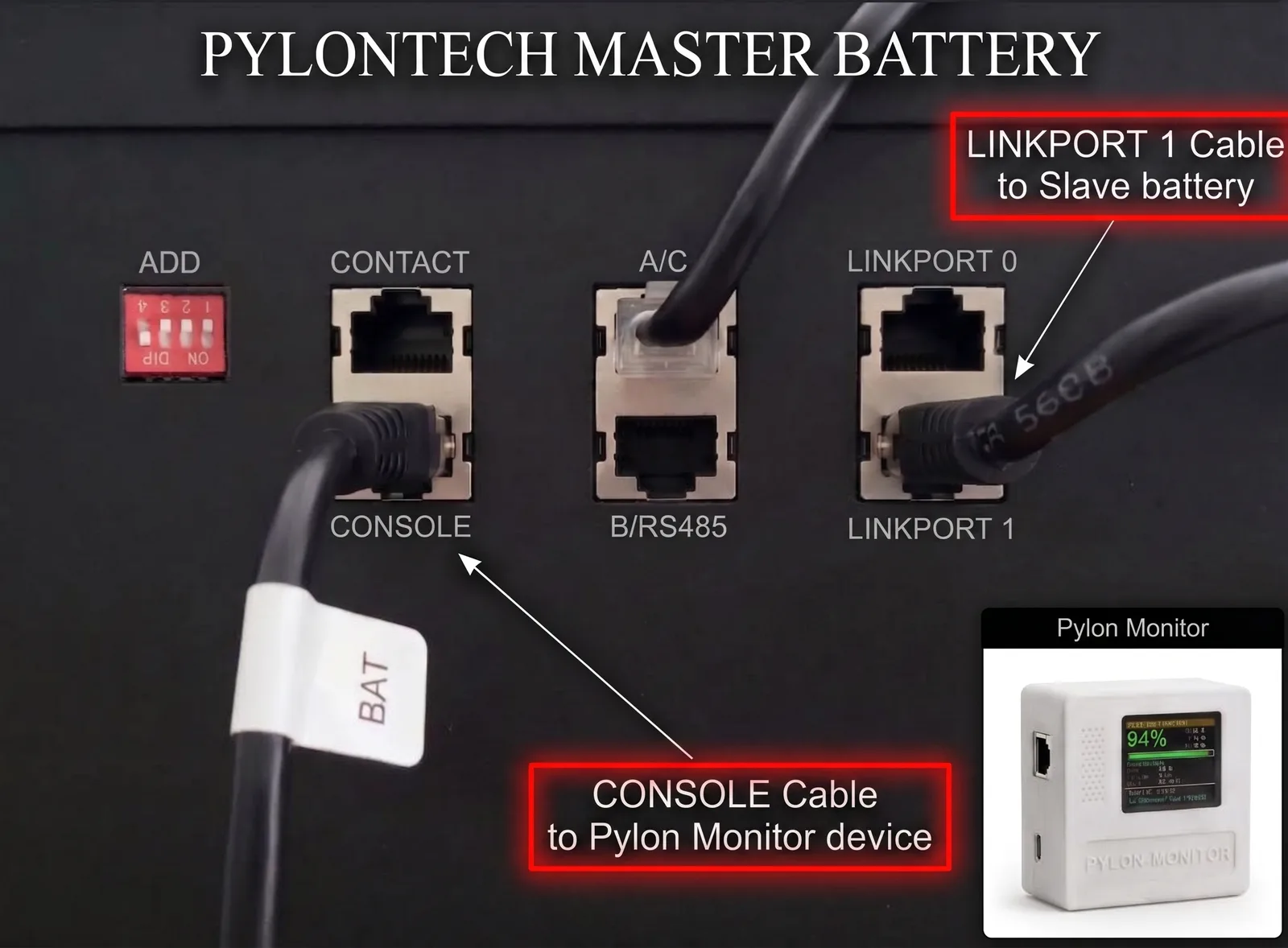
Works with the Console (RS-232) port on most Pylontech low-voltage batteries.

US5000
US3000C
US3000
US2000C
US2000B+
UP2500

Not sure if your model is compatible? Check the FAQ or contact us.

From box to dashboard in 3 steps

1

Plug it in

Connect the included RJ45 cable from the Pylon-Monitor to your battery's Console port. Power it with any USB cable.

2

Join the setup WiFi

Open WiFi on your phone, pick PylonMonitor-Setup, then choose your home network and enter its password.

3

Open the dashboard

The TFT screen shows the device IP. Type it in your browser — your battery's live data appears instantly.

A clean API your tools will love

One HTTP call returns SOC, SOH, voltage, current, power and state — ready to plug into your favourite home automation tool.

  • REST endpoint at /api.json
  • Native Home Assistant rest sensor support
  • Works with Node-RED, Jeedom, Domoticz, openHAB…
  • Polled locally every 6 seconds
Integration guide
GET http://<DEVICE-IP>/api.json

{
  "system": "pylon-monitor",
  "firmware": "v1.1",
  "summary": {
    "soc": 94,
    "soh": 96,
    "voltage": 48.62,
    "current": -7.20,
    "power": -350.10,
    "state": "Discharge"
  }
}

One device. One price.

No subscriptions. No hidden fees. Lifetime firmware updates included.

Best value

Pylon-Monitor v1

29incl. VAT
  • ✅ Pylon-Monitor device in plastic enclosure
  • ✅ RJ45 console cable
  • ✅ USB power cable
  • ✅ Quick start guide
  • ✅ Lifetime firmware updates
  • ✅ Email support
Order now — €29

Ships from Europe · Tracked delivery · Secure payment

Common questions

Does it work without internet?

Yes. The device is 100% local. It only needs your WiFi to be accessible from your phone or your Home Assistant instance.

Will it void my Pylontech warranty?

No. The Console port is read-only and meant for monitoring. The Pylon-Monitor never sends commands that change battery behavior.

Can I use it with multiple batteries?

Yes. The device reads the master battery, which already aggregates data from all slaves in the stack.

How do I update the firmware?

Open the dashboard, click Firmware Update, select the .bin file from our firmware page, done.