Short answer: to check a Pylontech battery properly, look at eight readings: state of charge, state of health, voltage, current, the voltage of each cell, the cell spread over time, temperatures, and alarms with the cycle count. The front LEDs only tell you the battery is alive. For the rest you need something on the Console port, either a laptop with PYLON Console or a permanent monitor. The two readings that really tell you about the future, SOH and cell spread, only make sense as a trend over several months.
What a Pylontech check really involves
"Checking the battery" can mean two very different things. One is the thirty-second look: is it charging, is it full, is anything flashing red. The other is the real check: is this battery ageing as it should, and is there anything in its numbers that will turn into a problem in six months? Most people only do the first, because the second has always meant a laptop, a cable and a free afternoon.
This is the checklist for the second one. Everything below can be read without opening the battery, without disconnecting it and without touching anything that matters for Pylontech's warranty.
The eight readings to check
| # | Reading | What you want to see |
|---|---|---|
| 1 | State of charge (SOC) | Follows your actual usage. What should catch your eye is a drop with no matching load, not the value itself. |
| 2 | State of health (SOH) | High, and falling slowly. The trend matters; a single reading says almost nothing. |
| 3 | Pack voltage | Consistent with the SOC and with the other modules in the stack. |
| 4 | Current | What you would expect from the inverter at that moment: charging in the sun, discharging in the evening. |
| 5 | Cell voltages | Close together. The gap between the highest and the lowest cell is the number that counts. Pylontech's target is 30 mV or less. |
| 6 | Cell spread over time | Small and stable for weeks. A slow rise is the earliest warning you will get. |
| 7 | Temperatures | Within the manufacturer's range, and similar from one module to the next. |
| 8 | Alarms and cycle count | No active alarm; a cycle count that roughly matches the battery's age and your usage. |
What each of these means in depth, and the figures that count as normal, is in our SOC, SOH and cell spread guide. The table above is the checklist itself: these eight, in this order. Nothing else is urgent.
The quick check: the LEDs on the front
Before any software, there is the free check. Every low-voltage Pylontech module (US2000, US3000, US5000 and similar) has a row of LEDs on the front: a run light, an alarm light, and a set of SOC lights showing roughly how full it is.
In five seconds that tells you two useful things: the module is alive, and it is not in alarm. It says nothing about health. A battery whose SOH has slipped, or whose cells are drifting apart, shows exactly the same green lights as one in perfect shape. LED patterns vary between models and firmware versions, so read them against your module's manual rather than a generic table found online.
The real check: getting the numbers out
All eight readings are in the BMS, and there are three realistic ways to get them. Our viewer comparison covers each in detail. In short:
- A laptop on the Console port. Pylontech's Windows software (PYLON Console, sometimes supplied as BatteryView) and an RJ45-to-serial adapter. Free, complete, the reference method. Its limit: it is a one-off session, so no history and no alerts.
- Your inverter's screen or app. Handy and already there, but it reads the CAN/RS485 link, which shows the whole stack as one virtual battery. Readings 5, 6 and 7 per module are simply not available on that link. That is a protocol limit, not a software one.
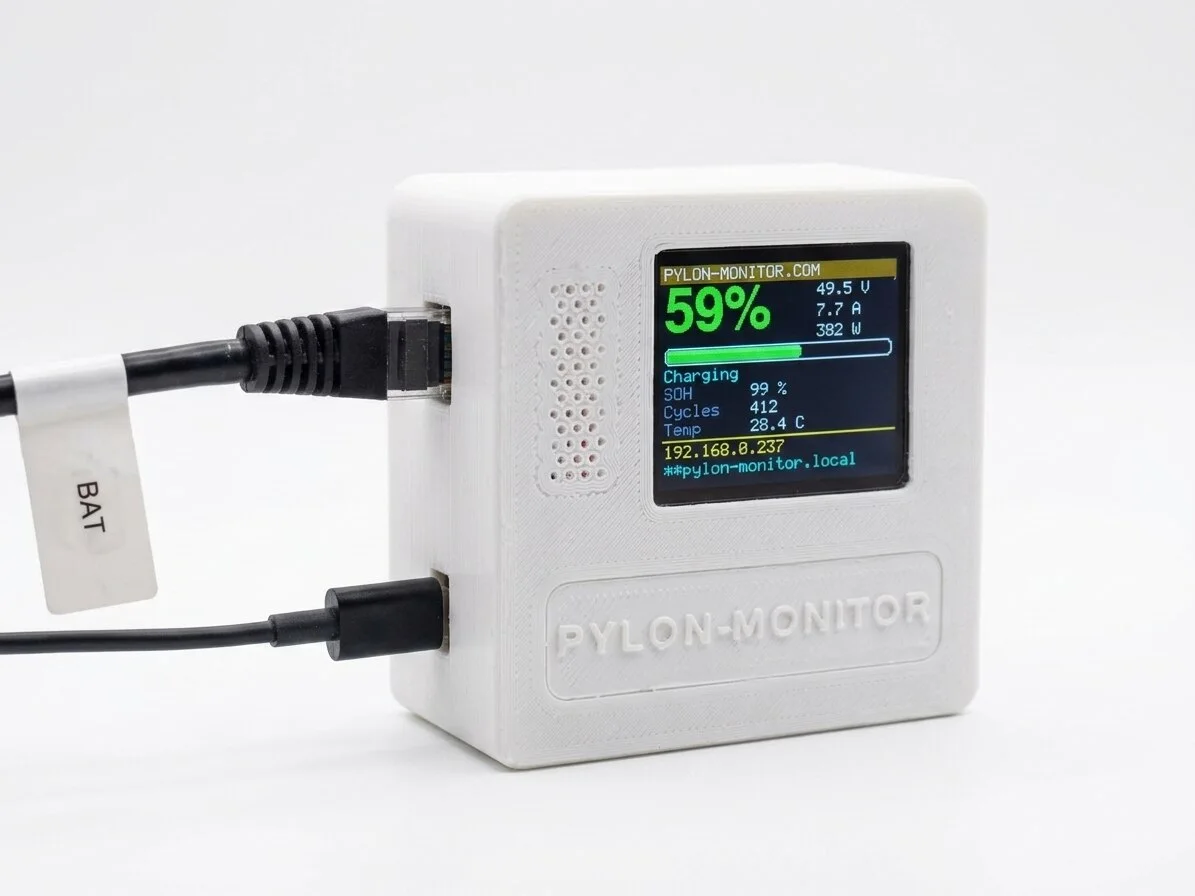
- A permanent reader on the Console port. A device that stays plugged in and serves the numbers all the time. It is the only one of the three that turns a check into a trend, which is what readings 2 and 6 need to mean anything. On Pylon-Monitor, Smart Balance also measures the cell spread at every full charge and tells you when balancing is due.
Checking a stack of several batteries
With more than one module, compare them with each other, not only with the datasheet. Modules in the same stack, of the same age and with the same use should report similar SOH, similar temperatures and a similar cell spread. One module moving away from the others tells you far more than any absolute figure. It is the most useful thing a per-module reading gives you, and something a stack-level reading never can.
It is also the check the inverter cannot do for you: to the inverter, sixteen batteries look exactly like one.
How often should you check?
- The LEDs: whenever you walk past. Free.
- A full manual check: realistically once or twice a year if you do it with a laptop. Ask yourself whether you will actually do it.
- SOH and cell spread: they only mean something as a curve over months, so they need continuous logging rather than a schedule.
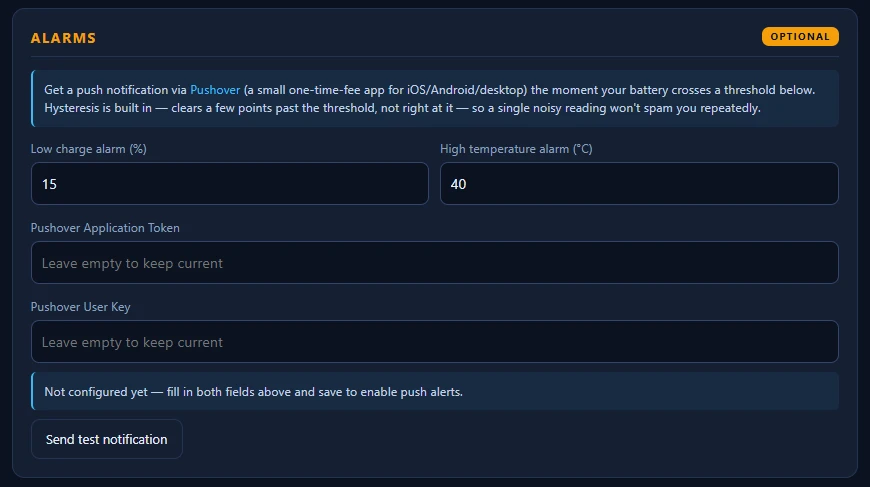
- Temperature and alarms: these need a threshold alert, not a check. By the time a scheduled check finds a temperature problem, it has been going on for a while.
Those last two lines are the real case for permanent monitoring over a calendar reminder: the two things most worth catching are the two that a periodic check catches worst. Our monitoring guide goes into it.
When is a reading actually a problem?
Do not diagnose from a single number. One odd reading is usually a measurement artefact, a cold morning, or the battery doing something normal you did not expect. What deserves attention is a pattern: a cell spread that widens week after week, a SOH curve falling faster than the rest of the stack, a temperature that hits its threshold again and again, or an alarm that keeps coming back after being cleared.
When such a pattern does appear, the next step is an installer who knows your system, not a forum thread and not a dashboard. Monitoring gives you a clear, dated history of what happened. Judging a borderline case is still a job for a person.
Frequently asked questions
- How do I check the health of a Pylontech battery?
- Read its State of Health (SOH) and its per-cell voltage spread, and — this is the part that matters — compare them over time rather than at one moment. A single SOH reading tells you almost nothing; an SOH curve over six months, or a cell spread that widens week by week, is what actually indicates a battery ageing faster than it should.
- Can I check a Pylontech battery without a laptop?
- Partly. The front-panel LEDs show at a glance that the module is running and not alarming, with a rough charge level — no laptop needed. For SOH, per-cell voltages and temperatures you need something reading the Console (RS-232) port: either Pylontech's Windows software on a laptop, or a device left permanently connected that serves the data to your network.
- What do the LEDs on a Pylontech battery mean?
- Low-voltage Pylontech modules carry a run indicator, an alarm indicator and a row of SOC lights showing roughly how full the module is. They confirm the module is alive and not in alarm, but say nothing about long-term health. Exact patterns vary by model and firmware version, so check them against your own module's manual.
- Is "Pylontech check" the same as "PylonCheck"?
- No. A Pylontech check is the procedure of inspecting your battery's readings, with whatever tool you choose. PylonCheck is a specific commercial product from Daxit s.r.o. — a cloud-based monitoring box for Pylontech batteries. The names are easily confused in search results, but they refer to different things.
- How often should a Pylontech battery be checked?
- A full manual check once or twice a year is realistic if you're doing it with a laptop. But the two most valuable signals — the SOH trend and cell imbalance drift — only mean anything as a curve over months, and temperature and alarm conditions want an instant alert rather than a scheduled look. Those are the cases continuous monitoring covers and a periodic check structurally cannot.
Pylon-Monitor runs this checklist for you all the time: all eight readings, battery by battery, stored for trends, with alarms on the two that cannot wait for your next check.
Order now — €59 One-time purchase, €59 total — no VAT, no subscription.