Short answer: yes, Pylon-Monitor reads high-voltage Pylontech packs (Force H2 towers, H48050 or H48074 modules behind an SC0500 controller) since firmware 2.8, on generation 2 units with a screen and on the Lite. It plugs into the controller's Console port, recognises the high-voltage pack by itself and shows charge, voltage, current, temperatures, every module and every cell. The controller does not report state of health or cycle count, so those two show a dash. The support was built from real controller readings; no customer tower has been connected yet.
The one battery family we used to turn away
Until firmware 2.8, our comparison page carried a sentence that cost us sales, and we left it there on purpose: if you owned a high-voltage Pylontech pack, a Force H2 tower or H48050 modules behind a management unit, our box was not for you. Better to say so than to sell you the wrong thing.
That sentence is gone. Since September 2026, the current generation of Pylon-Monitor reads high-voltage towers, and it reads them the way it reads everything else: over the Console port, by asking the BMS questions and reading the answers.
Why high voltage was harder, in one table
People assume "high voltage" means another cable or another port. It does not. It is the same RJ45 Console port, the same RS-232 level, the same 115200 baud. What changes is the conversation, and it changes completely.
| Question | Low-voltage US stack | High-voltage tower |
|---|---|---|
| "How is the pack doing?" | One line per battery address, 1 to 16, with Absent for empty slots | A single line: the management unit has already added up the whole tower |
| "What are the cells at?" | Ask battery 3, get its fifteen cells numbered from zero | Ask once, get all 120 cells of the tower in one reply |
| "And each module?" | No such question: a battery is a module | A dedicated command, one line per module |
| "State of health? Cycles?" | Reported for each battery | Not reported |
| Voltage at the terminals | About 48 V, batteries in parallel | 200 to 400 V, modules in series |
A firmware that only knows the left-hand column does not crash when it meets the right-hand one. It asks its usual question, gets an answer it cannot read, and shows an empty dashboard. That is exactly what high-voltage owners saw before 2.8: a device clearly alive, a battery clearly answering, and nothing on screen.
What the box does now
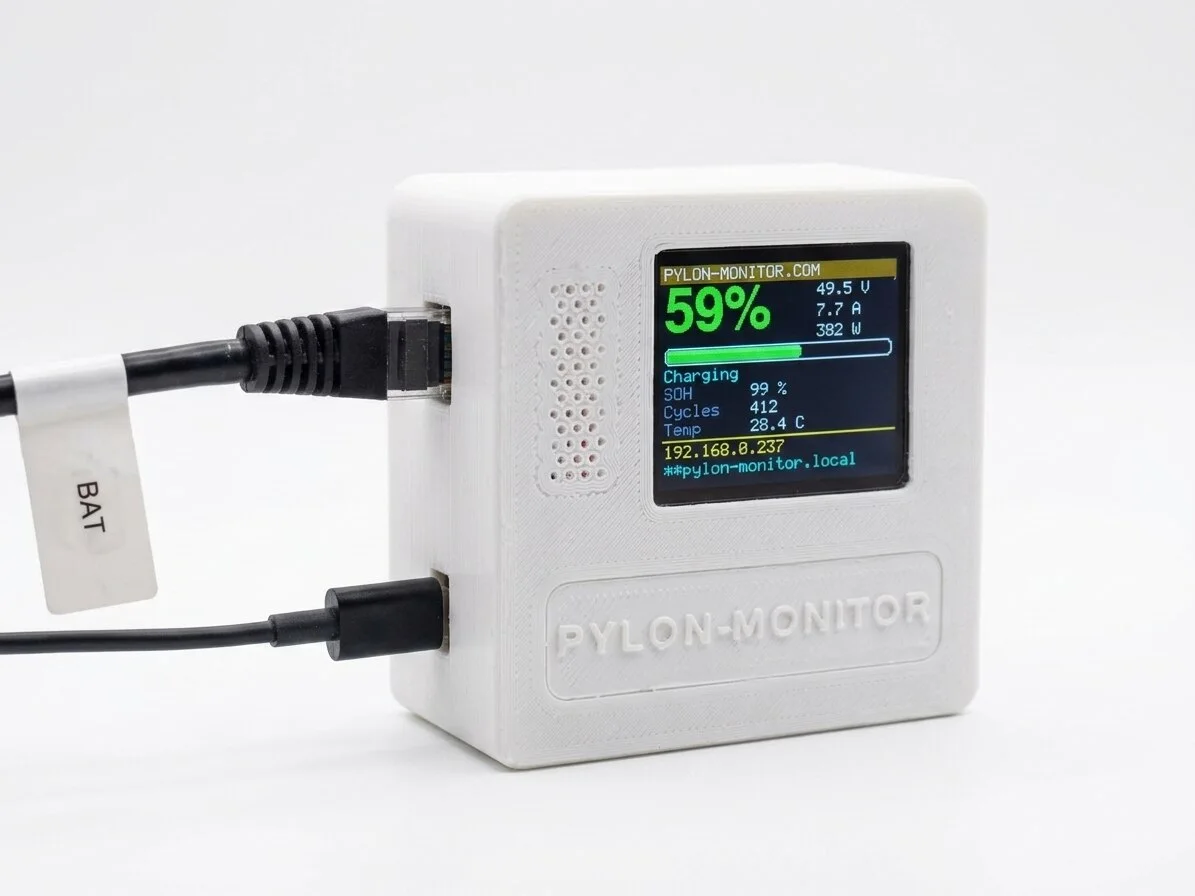
From firmware 2.8, the device recognises a high-voltage pack from its very first reply and switches to the right set of questions. Nothing to configure, no model to choose in a menu, and it switches back by itself if you move the cable to a low-voltage stack. After that, everything goes where it always did: charge, voltage, current, power and temperatures on the screen and the dashboard, each module in the battery table, each cell in the cell chart, and all of it in the JSON API and in Home Assistant over MQTT.
A high-voltage tower also reports things a low-voltage stack does not have, and they get a card of their own: the lowest and highest cell of the whole tower, the lowest and highest module, the charge and discharge limits the management unit is applying right now, the charge level in energy as well as in amp-hours, the detailed status fields and the error code.
Two things it will not show, because the pack does not report them: state of health and cycle count. Those two lines show a dash. We could have filled them with an estimate and nobody would have noticed. A dash is the honest answer, and on a battery it is the one that matters.
What the box sends to your BMS
To a high-voltage pack, the device sends four query commands: pwr, unit, bat and info. They ask for values; none of them changes a setting. Your management unit keeps full control of charging and protection, and the installation behaves exactly as it did before you plugged the box in. On a 400 V tower, that is worth saying clearly.
What this changes when you compare monitors
Until now, choosing a Pylontech monitor meant giving something up. A cloud box covered high voltage but sent your data through someone else's servers. A DIY build gave you independence and cost you a weekend with a soldering iron. A laptop on the Console port showed everything, once, with no history.
With high voltage covered, Pylon-Monitor puts all of this in one box:
- a 1.8" colour screen on the device, the figure you glance at in the room where the battery is, with no phone in hand;
- a dashboard served by the box itself, which keeps working with the internet down;
- a local JSON API and MQTT auto-discovery: Home Assistant finds every sensor on its own, no YAML, no bridge, no account;
- history included, with no subscription;
- both families, low voltage and high voltage, on one box;
- and a one-off price of €59, about a third of the cloud alternative.
Take any one item away and some other product covers the rest. Ask for all of them together and the list gets very short. High voltage was the last line where another product could say "yes" while we had to say "not yet".
The caveat we prefer to state ourselves
We do not own a high-voltage pack. This support was built from real console readings from two different management-unit firmwares, a four-module tower and a 120-cell, eight-module one, and both are replayed through the parser every time the firmware is built, including a capture cut off in the middle of a table, because real readings sometimes are. What we cannot claim yet is time in the field: no customer's high-voltage tower has been connected to a Pylon-Monitor so far. Two owners asked us about it, one with four H48074 behind an SC0500 and one with seven H48050, and our answers say exactly that.
So if you run high voltage and want a track record rather than a first, our comparison page still gives the honest answer. If your management unit answers in a way we have not seen yet, the device has a discovery page that records exactly what it says. Send it to us and the next firmware will understand it. That is how this support came about in the first place.
Getting it
High-voltage support needs the current hardware generation, which every unit ordered from 5 September 2026 has, and the Pylon-Monitor Lite. If you already own one, the firmware is a free download like every version before it. Your device's update page tells you which file is yours, and choosing the wrong one changes nothing: the device checks the file before installing it and keeps running what it has.
New to all this? Our monitoring guide explains what remote Pylontech monitoring is good for, and our diagnostics guide explains what the numbers mean once you have them.
Frequently asked questions
- Does Pylon-Monitor work with a Force H2 or H48050 pack?
- Yes, since firmware 2.8, on the hardware generation that ships with every order placed from 5 September 2026. The device recognises a high-voltage pack from its first reply and switches to the right commands by itself — nothing to configure. Charge, voltage, current, temperatures, every module and every cell then appear on the screen, the dashboard, the JSON API and in Home Assistant exactly as they do for a low-voltage stack.
- Why do state of health and cycle count show a dash on my high-voltage pack?
- Because your management unit does not report them. A low-voltage Pylontech battery publishes both; a high-voltage management unit publishes neither. Rather than fill those two lines with an estimate that would look like a measurement, the dashboard shows a dash. Everything the pack does report — including things a low-voltage stack has no equivalent for — is displayed in full.
- Can Pylon-Monitor change a setting in a high-voltage BMS?
- No, and it never could for any pack. The only commands it sends are the four that read: pwr, unit, bat and info. Nothing is ever written to the BMS, and there is no path from your network to your battery's port. That is a deliberate design decision: a device that only reads cannot alter your pack's behaviour, damage your installation or affect your Pylontech warranty.
- Has this been tested on a real high-voltage pack?
- Not yet, and we would rather say so. The support was written against real console readings from two different management-unit firmwares — a four-module tower and an eight-module, 120-cell one — and both are replayed against the parser on every firmware build, including a capture that arrived truncated mid-table. If your management unit answers differently, the device has a discovery page that collects exactly what it says, and support is extended from there.
- I already own a Pylon-Monitor — can I just update it?
- You can always update, free, and firmware 2.8 brings its other improvements to every device. High-voltage reading itself needs the newer hardware generation. Your device's own Update firmware page states which generation it is, and the download page offers one file per generation; if you pick the wrong one nothing happens — the device checks the file before writing anything and keeps running the version it already has.
One box for both battery families: a screen you can read from the doorway, a dashboard that keeps working without internet, and a device that only asks your BMS questions.
Order now — €59 One-off purchase, €59 all in — no VAT, no subscription.