One JSON endpoint, every platform
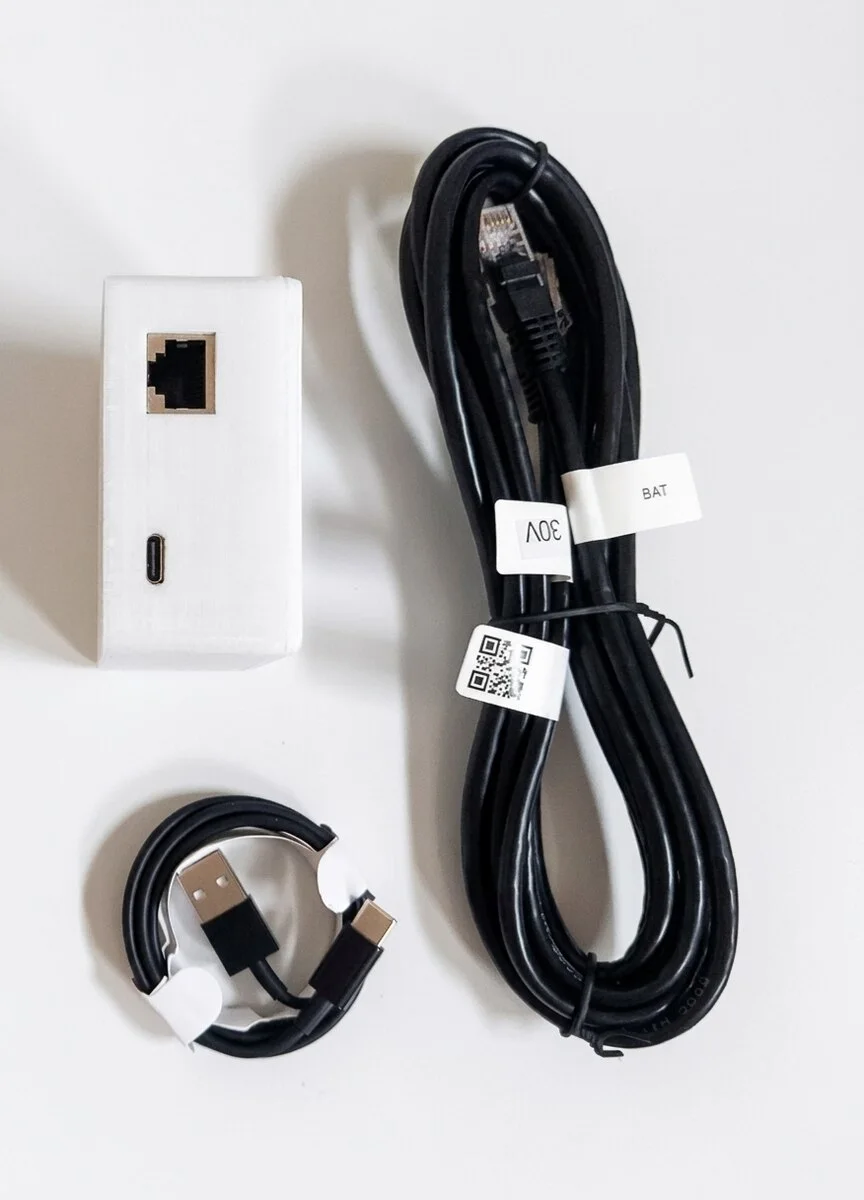
Home Assistant gets most of the attention — understandably, it's the most common home-automation platform out there, and we've written a whole guide to it. But the actual mechanism underneath is deliberately simple: one HTTP endpoint, GET /api.json?key=… (the access key shown in the device's Settings), plain JSON in return. Anything that can make an HTTP request and parse JSON can pull Pylontech battery data from it. That's Jeedom, Node-RED, Domoticz, openHAB, Grafana, a Python script, a cron job with curl — all reading the exact same data, none of them needing a vendor SDK or an API key.
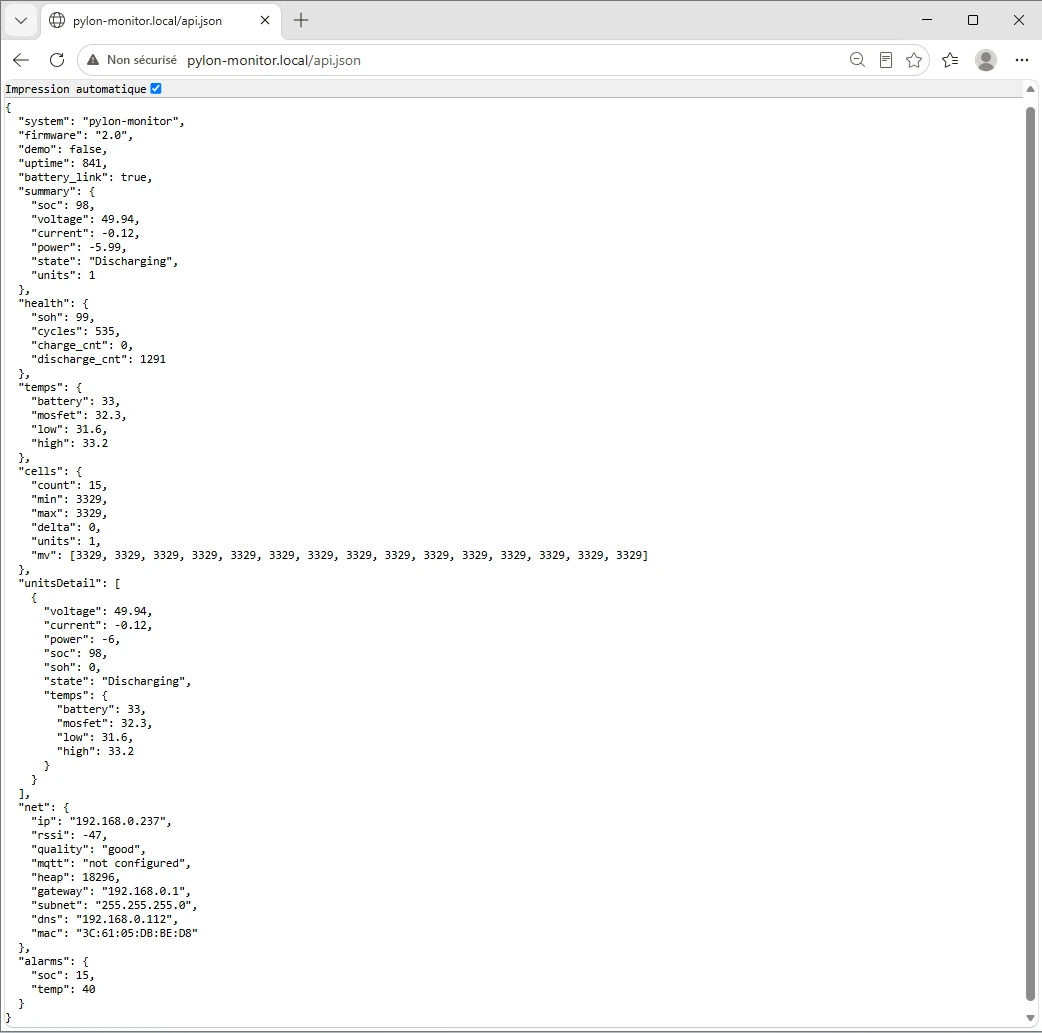
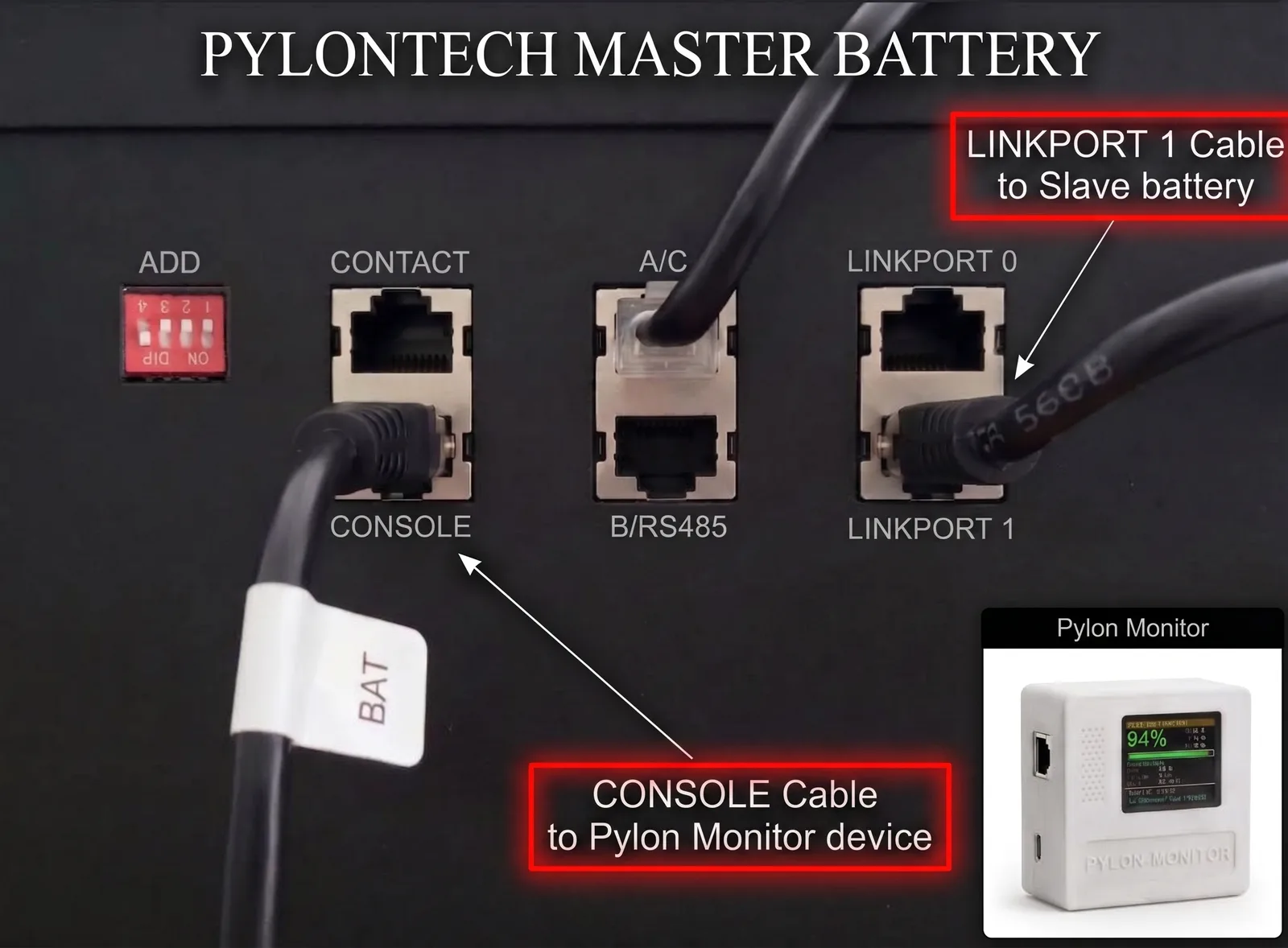
The cable that chains your master battery to the first slave must leave LINK PORT 1 on the master — never LINK PORT 0. It plugs into LINK PORT 0 on the slave, and every further battery repeats the same 1 → 0 pattern. Wired the other way round the master never sees the rest of the stack, so Pylon-Monitor reports a single battery no matter how many you own.
Jeedom
Jeedom doesn't need a dedicated Pylontech plugin. Install the standard JSON plugin from the Jeedom store, point an equipment at http://<device-ip>/api.json?key=<access-key>, and map JSON paths to commands — summary>soc, summary>voltage, summary>state, net>rssi, and so on. A 30–60 second polling interval is plenty; battery telemetry doesn't change fast enough to need anything tighter.
Node-RED
Two options, and they mirror the Home Assistant choice almost exactly. Poll with an http request node (method GET, URL http://<device-ip>/api.json?key=<access-key>, return type "a parsed JSON object"), triggered by an inject node on a timer, and read fields like msg.payload.summary.soc downstream. Or, if MQTT is already configured on the device, subscribe directly to pylon-monitor/state with an MQTT-in node instead — updates arrive as they happen, no polling loop to manage.
Domoticz
Domoticz doesn't ship a native JSON-polling sensor type out of the box, but the standard workaround is well-trodden: a small script (Python, or Domoticz's own Lua/Blockly event scripting) fetches /api.json on a timer and pushes the values into Dummy/Virtual sensors via Domoticz's own JSON API. It's a few more minutes of setup than Jeedom or Node-RED, but it's a one-time task, and the sensors behave exactly like any other Domoticz device afterward — full history graphs, notifications, the works.
openHAB
openHAB's HTTP Binding handles this natively: define a Thing pointing at http://<device-ip>/api.json?key=<access-key> with a refresh interval, then map individual channels to JSON paths using a transformation (JSONPath) to pull out summary.soc, summary.voltage, and so on into separate Items. No custom binding needed — the generic HTTP one covers it.
Tuya / SmartLife — an unofficial bridge via IFTTT, Make.com or Apilio
Tuya devices and the SmartLife app only ever report to Tuya's own cloud — there's no generic JSON endpoint on their side the way there is here, and no official Pylontech-to-Tuya integration exists. This device doesn't pretend to be one either. What it does provide is the missing piece for a no-code bridge: turn on Settings > Public JSON access > "Enable a real public URL" and pylon-monitor.com republishes your device's JSON at a stable HTTPS link, reachable from anywhere — no port forwarding, no VPN, nothing exposed on your own router.
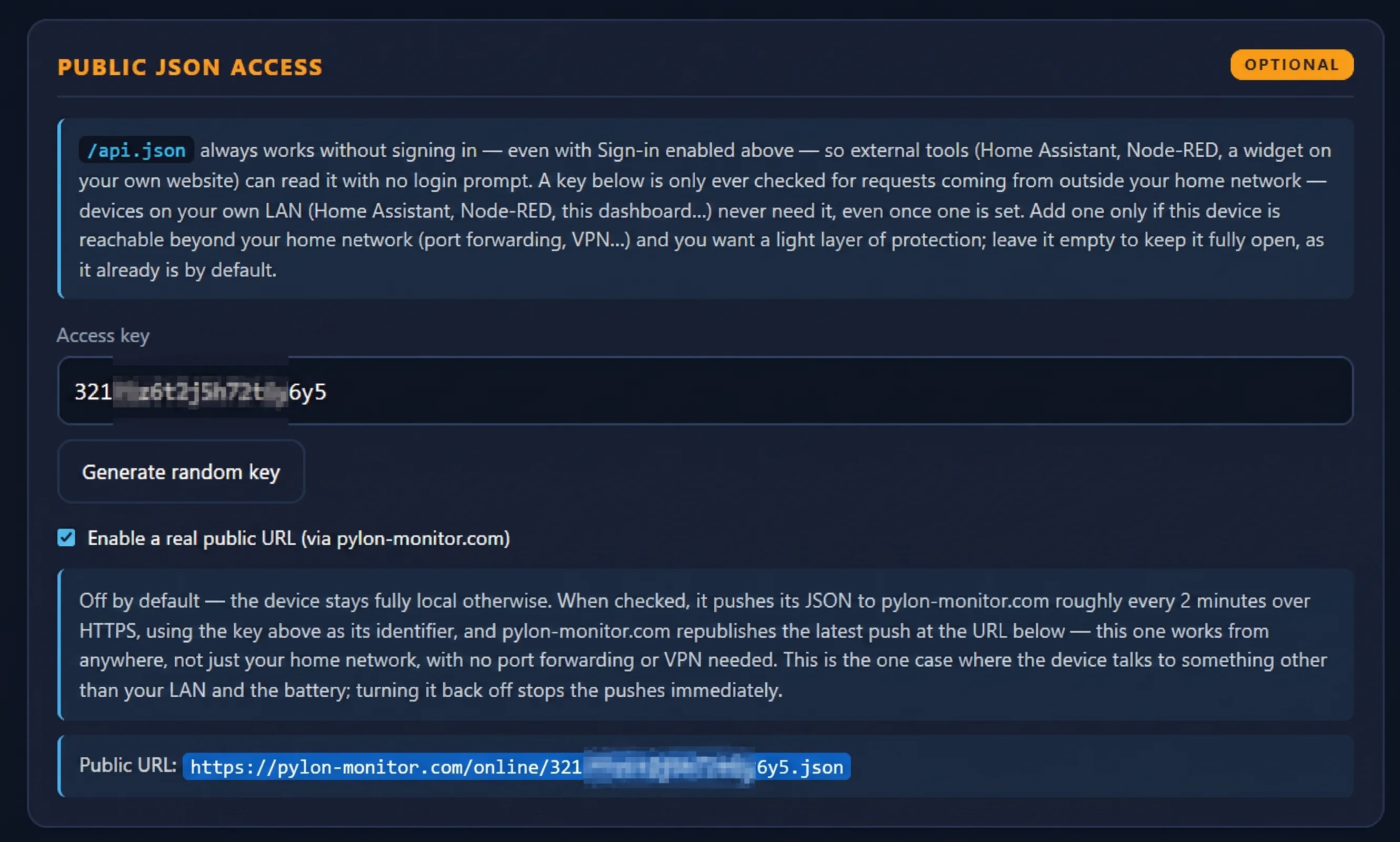
With that URL in hand, a free-tier no-code automation platform can poll it and push the values into a Tuya virtual device or a SmartLife-facing webhook:
- IFTTT — a Webhooks/JSON applet polling the URL on a schedule, feeding a SmartLife action.
- Make.com (formerly Integromat) — an HTTP module reading the URL, a JSON parser, then a Tuya/SmartLife module or a webhook back into Tuya's IoT Platform.
- Apilio — built specifically around Tuya/SmartLife automations, with its own HTTP-request trigger that can poll a URL like this one directly.
None of this is officially supported by Tuya or by Pylon-Monitor — it's a bridge you assemble yourself from existing free tools, not a certified integration. But if you want your battery's SOC or state on a SmartLife dashboard, or in an Alexa/Google routine that only understands Tuya devices, the public URL above is the one piece you'd otherwise be missing.
Grafana, scripts, and anything else
If a tool has a "JSON API" or "HTTP" data source — Grafana's JSON API plugin, Telegraf's HTTP input, a Python script with requests, a shell one-liner with curl | jq — it can read this endpoint the same way. This is deliberately not a walled garden: the device doesn't care what's on the other end of the HTTP request, which means it doesn't become obsolete the day you switch home-automation platforms.
Polling vs. MQTT: which to use where
Most of the platforms above default to polling the JSON API on a timer, which is simple and works everywhere. If your platform also speaks MQTT (Node-RED and Home Assistant both do natively), subscribing to pylon-monitor/state instead means updates arrive the moment they're published rather than waiting for the next poll — and you also get the retained availability topic for free, so you know immediately if the device itself has gone offline rather than guessing from a stale value. Polling every 30–60 seconds is more than adequate for anything battery-related, though — this isn't data that benefits from sub-second latency.
Frequently asked questions
- Does Pylontech monitoring work with Jeedom?
- Yes. The standard JSON plugin available in the Jeedom store can poll the device's /api.json endpoint directly and map fields to commands — no custom Jeedom plugin is needed.
- Can I connect a Pylontech battery to Node-RED?
- Yes, two ways: poll /api.json with an http request node, or subscribe to the MQTT state topic with an MQTT-in node if MQTT is configured on the device.
- Does this work with Domoticz or openHAB too?
- Yes. Domoticz typically uses a small script to push values into Dummy/Virtual sensors via its own API; openHAB's built-in HTTP Binding can poll the JSON endpoint directly with no custom binding required.
Pylon-Monitor's JSON API and MQTT topics are open, documented, and platform-agnostic from day one — plug it into whatever you already run.
Order now — €59 One-time purchase, €59 total — no VAT, no subscription.